
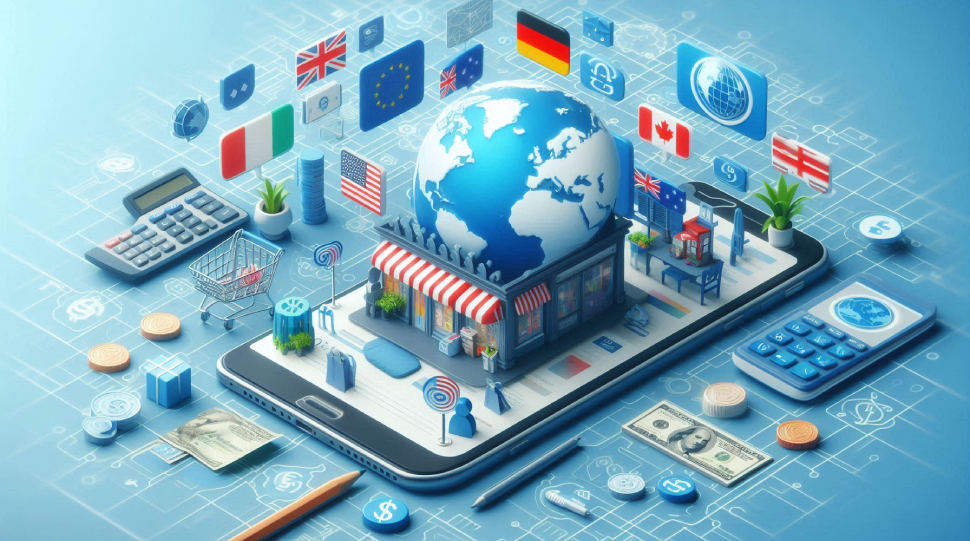
How to Set Up a Shopify Store for Global Markets: A Complete Guide to Multi-Currency & Multi-Language
In eCommerce, reaching customers worldwide is no longer optional — it’s essential for growth. Many Shopify stores attract international visitors but fail to convert because of one missing piece: localization.
By setting up multi-currency and multi-language features, you can provide a seamless, trustworthy shopping experience for global buyers. This ensures customers see prices in their own currency and browse content in their native language — reducing friction and boosting conversions.
This guide explores step-by-step strategies for setting up a Shopify store for international selling, backed by best practices, tools, and proven insights.
What is Multi-Currency & Multi-Language in Shopify?
- Multi-Currency: The ability for your store to automatically display and process payments in a shopper’s local currency (e.g., USD, EUR, GBP, INR).
- Multi-Language: The ability to translate your store’s content — from product descriptions to checkout pages — into multiple languages.
Together, these features remove barriers for international customers and improve global sales potential.
Why Multi-Currency & Multi-Language Are Critical for Shopify Success
-
Higher Conversions: Customers buy more when prices and content feel familiar.
-
Global Reach: Access to new markets without rebuilding your store.
-
Customer Trust: Localized checkout builds confidence.
-
SEO Benefits: Localized content ranks better in search engines worldwide.
-
Sustainable Growth: Long-term scaling by serving multiple regions effectively.
Data-Driven Strategies to Go Global with Shopify
Here are the top proven steps to set up multi-currency and multi-language in your Shopify store:
1. Enable Multi-Currency with Shopify Payments
- Activate Shopify Payments in your store settings.
- Add supported currencies (130+ available).
- Use rounding rules to keep prices clean (e.g., €19.99 instead of €19.37).
3. Set Up Multi-Language Support
- Go to Settings → Languages and enable additional languages.
- Translate themes, navigation menus, product pages, and blogs.
- Optimize SEO metadata in each language.
5. Personalize Shopping by Region
- Show localized shipping options and transparent delivery times.
- Display all tax and duties upfront to avoid unexpected surprises.
- Use Shopify Markets to manage regional pricing and preferences.
7. Build Trust with Transparent Policies
- Translate shipping, return, and refund policies.
- Provide region-specific guarantees where possible.
- Display local secure payment icons (PayPal, Klarna, Alipay, etc.).
9. Test & Refine with Analytics
- Use Shopify Analytics + Google Analytics 4 to monitor performance by region.
- Track conversion rates by currency and language.
- Continuously optimize translations, pricing, and checkout experience.
2. Add a Currency Selector or Auto-Switching
- Install Shopify’s free Geolocation App.
- Allow shoppers to choose their preferred currency.
- Enable auto-switch based on location for frictionless UX.
4. Use Translation & Localization Apps
- Recommended apps: Weglot, Langify, Translation Lab, GTranslate.
- Ensure translations are human-reviewed to maintain quality.
- Localize images, units of measure, and legal text.
6. Speed & Performance Optimization
- Optimize loading times globally with CDNs.
- Compress product images for faster delivery in different regions.
- Test performance using Google PageSpeed Insights across multiple countries.
8. Optimize for International SEO
- Add hreflang tags so search engines know which version to display.
- Create localized URLs (e.g., yourstore.com/fr for French).
- Build backlinks from local sites to strengthen authority.
10. Continuously Improve Your Global Store
- New translations for collections and blogs.
- Seasonal promotions in local languages.
- Currency support as you expand to new regions.
“Expand your Shopify store globally with our complete guide to multi-currency and multi-language setup. Deliver a localized experience, boost trust, and increase conversions worldwide.”
Why These Global Selling Strategies Work
✅ Customer-Centric – Tailored experience builds trust & loyalty.
✅ Data-Backed – Based on analytics, not assumptions.
✅ Revenue-Boosting – Expand without increasing ad spend.
✅ SEO-Optimized – Reach international searchers effectively.
Next Steps: Let Born Techies Set Up Your Global Shopify Store
At Born Techies, we specialize in helping Shopify merchants expand into international markets with:
✅ Multi-Currency Setup
✅ Multi-Language Integration
✅ SEO & Hreflang Optimization
✅ Geolocation & Checkout Localization
✅ Ongoing Global Growth Strategy
🚀 Ready to take your Shopify store global? Contact Born Techies today
and let’s build your path to international success.
People Also Search For
- Shopify multi-currency setup 2025
- Best multi-language apps for Shopify
- How to sell internationally with Shopify
- Shopify Markets vs. apps for localization
- Shopify global expansion strategies
“Learn how to sell internationally with Shopify. From currency setup to language translation and SEO, this step-by-step guide helps you build a store that speaks to every customer.”

FREQUENTLY ASKED QUESTIONS
Here are some common FAQs.
1. How can I set up multiple currencies in my Shopify store?
Setting up multiple currencies in your Shopify store requires enabling Shopify Payments and activating the currencies you want to offer. Once you enable multi-currency, customers will be able to browse and check out in their local currency, which creates a seamless shopping experience. You can also customize rounding rules, currency formatting, and even set different product prices per market using Shopify Markets. This not only improves transparency but also builds trust, as buyers prefer seeing prices in familiar currencies.
2. Do I need Shopify Plus to sell in multiple languages?
You don’t necessarily need Shopify Plus to sell in multiple languages. Shopify allows translation support even on its basic plans by using apps such as Translate & Adapt, Langify, or Weglot. However, Shopify Plus offers more advanced localization features, like custom checkout translations and multi-store setups for complex operations. For small to medium-sized stores, translation apps are usually enough to provide a localized shopping experience, while larger businesses may benefit from Plus for scalability.
3. Will currency conversion affect my checkout process?
Yes, the checkout experience is directly influenced by how you set up your currency options. If you use Shopify Payments, customers can check out in their own currency, making the process smooth and professional. However, if you rely on third-party gateways, they might display the store’s default currency at checkout, which could confuse shoppers. Offering a fully localized checkout with the right currency not only reduces abandoned carts but also increases customer satisfaction.
4. How can I optimize my store for international SEO?
To optimize your Shopify store for international SEO, you should use hreflang tags, create region-specific content, and structure your URLs with language or country codes. For example, using subfolders like /en, /fr, or /de helps search engines understand your target audience. Translated meta titles, descriptions, and localized keywords are also essential. Google values relevancy, and if your content is tailored for each region, you’ll stand a better chance of ranking higher in international markets.
5. Do I need separate domains for different countries?
Having separate domains is not mandatory, but it depends on your business strategy. Many global brands use country-code top-level domains (like .uk, .ca, or .au) to target specific markets. Shopify also supports subdomains or subfolders, which are easier to manage for smaller businesses. While separate domains may improve trust in local markets, they also require more SEO work and ongoing management. For most businesses starting global expansion, using Shopify Markets with subfolders is the most efficient solution.
6. How do I handle shipping for international customers?
Shipping is one of the most critical factors in global eCommerce success. You need to set up shipping zones in Shopify and assign rates for each region. Displaying localized shipping options and accurate delivery times creates transparency and reduces customer concerns. Partnering with global couriers like DHL, FedEx, or UPS ensures reliable delivery, while integrating apps like Easyship or ShipStation can help automate the process. Offering clear duties and tax calculations upfront also prevents order cancellations.
7. Can I charge different product prices in different regions?
Yes, Shopify allows you to set regional pricing using Shopify Markets. This is especially useful if your products have different demand, taxes, or shipping costs in various regions. You can increase or decrease pricing for specific markets to match local conditions and competitiveness. For example, a product might be priced higher in Europe due to import taxes but lower in the US for better market penetration. This flexibility gives you control over your profit margins across global markets.
8. What is the best way to translate my Shopify store?
The best way to translate your Shopify store depends on your goals and budget. You can use free tools like Shopify Translate & Adapt for basic translations, or invest in professional apps like Weglot and Langify for high-quality, automated translations. While machine translation is faster, professional human translation ensures better accuracy and brand consistency. Combining both methods is often the most effective way to offer a user-friendly, localized experience.
9. How do I build trust with international customers?
Building trust with international customers requires a mix of transparency, localization, and credibility. Always display prices in the shopper’s local currency, show shipping and delivery timelines clearly, and disclose all taxes or duties upfront. Adding multiple language options and region-specific payment methods makes customers feel more comfortable. Social proof such as reviews, testimonials, and region-specific case studies also goes a long way. The more localized and transparent your store feels, the more trust you will earn from global buyers.
10. What payment gateways should I use to support international customers on Shopify?
Choosing the right payment gateways is crucial for building trust and ensuring smooth transactions with international customers. Shopify Payments is the easiest option because it supports multiple currencies and integrates seamlessly with the checkout. However, depending on your target markets, you may also need to add region-specific gateways like PayPal, Klarna, Stripe, or local options such as iDEAL in the Netherlands or Alipay in China. Offering a mix of global and local payment solutions increases conversion rates, as buyers prefer to pay in familiar and trusted ways. Remember, payment preferences vary across countries, so researching your target audience’s habits before finalizing gateways is a key step in international expansion.
